Create the Report (Continued)
Set up Filters - In this example:
- Show Me: All Opportunities
- Close Date: Current and Next FQ
- Amount: Greater than 1.00
- Type: Select your array of types
- Closed: equals False (This will display all open Opportunities regardless of status)
- Disable Detail Rows to show the conditional highlighting in the report
- Enable Detail Rows to show all columns (conditional formatting disabled)
- Click Save & Run (we recommend creating a new folder “ClosePlan” in which to save the Report
To see what the report will look like, see the supporting images


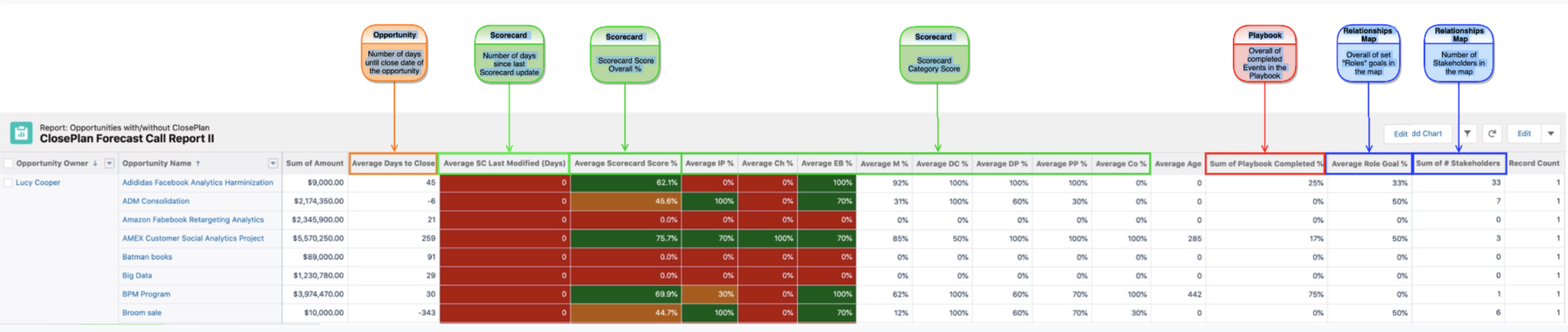

.svg)

.svg)
